Session lifecycle
A Session is one delivery act: one supplier, one period, one set of files, walked through the processing pipeline. It binds a DataContract, the Transformers and Entities of its Project, the uploaded files, and any session context.
The state machine
CREATED → UPLOADED → PARSED → TRANSFORMED → VALIDATED → CONFIRMED → APPROVED → EXPORTED
| Stage | What happens |
|---|---|
| Parse | Raw files become Parquet via Python-native parsers. |
| Transform | SQLGlot compiles mappings; DuckDB executes them. |
| Validate | Entity rules run as DuckDB violation queries. |
| Reconcile | Project rules run cross-entity JOINs. |
| Confirm / Approve | A human signs off (single or dual approval). |
| Export | The configured format package is produced. |
Bulk data never loads into Python memory — Python generates SQL, DuckDB does the work on Parquet in object storage.
Health vs. stage
A session has both a stage (where it is in the pipeline) and a health (is anything blocking it — e.g. ERROR-severity violations). The Sessions view tracks both, so you can see at a glance which deliveries need attention.
Error types — format, content, system
When a stage fails, Expecto classifies why, so you can tell at a glance whose problem it is and what to do next:
| Class | Meaning | Typical cause | Who fixes it |
|---|---|---|---|
| Format | The delivered file violates the agreed file format (the source's schema) — structure or value syntax. | Missing/extra columns, wrong delimiter, a date like 01.12.2025 where YYYY-MM-DD is expected, a non-numeric amount, a value outside the allowed set. |
The data provider — fix the file and re-deliver. Until then, content checks don't run. |
| Content | The format is correct, but the data breaks a validation or business rule. | A debit/credit imbalance, an account without a mapping, a rental-income anomaly. | Reviewed as part of the delivery's content — the numbers/mappings themselves need attention. |
| System | Expecto could not run a step — a configuration or platform failure. | A missing reference catalog, a broken mapping expression, a rule that fails to execute. | The organization or Expecto — no provider action applies; re-delivering the same file won't help. |
| Not applicable | A rule could not run because an optional source was not delivered. | A VAT rule when the optional VAT file is absent. | Nobody — this is expected, not an error. See Optional sources. |
Each session carries an aggregate dominant error class (precedence: system → format → content → not applicable), surfaced as a badge on the session header in both the admin view and the provider portal. The pipeline stepper marks each stage with its outcome; format errors gate the semantic stages, and a system failure halts the pipeline (fail-fast) rather than letting later stages run on data that could not be produced.
Transform errors in plain language
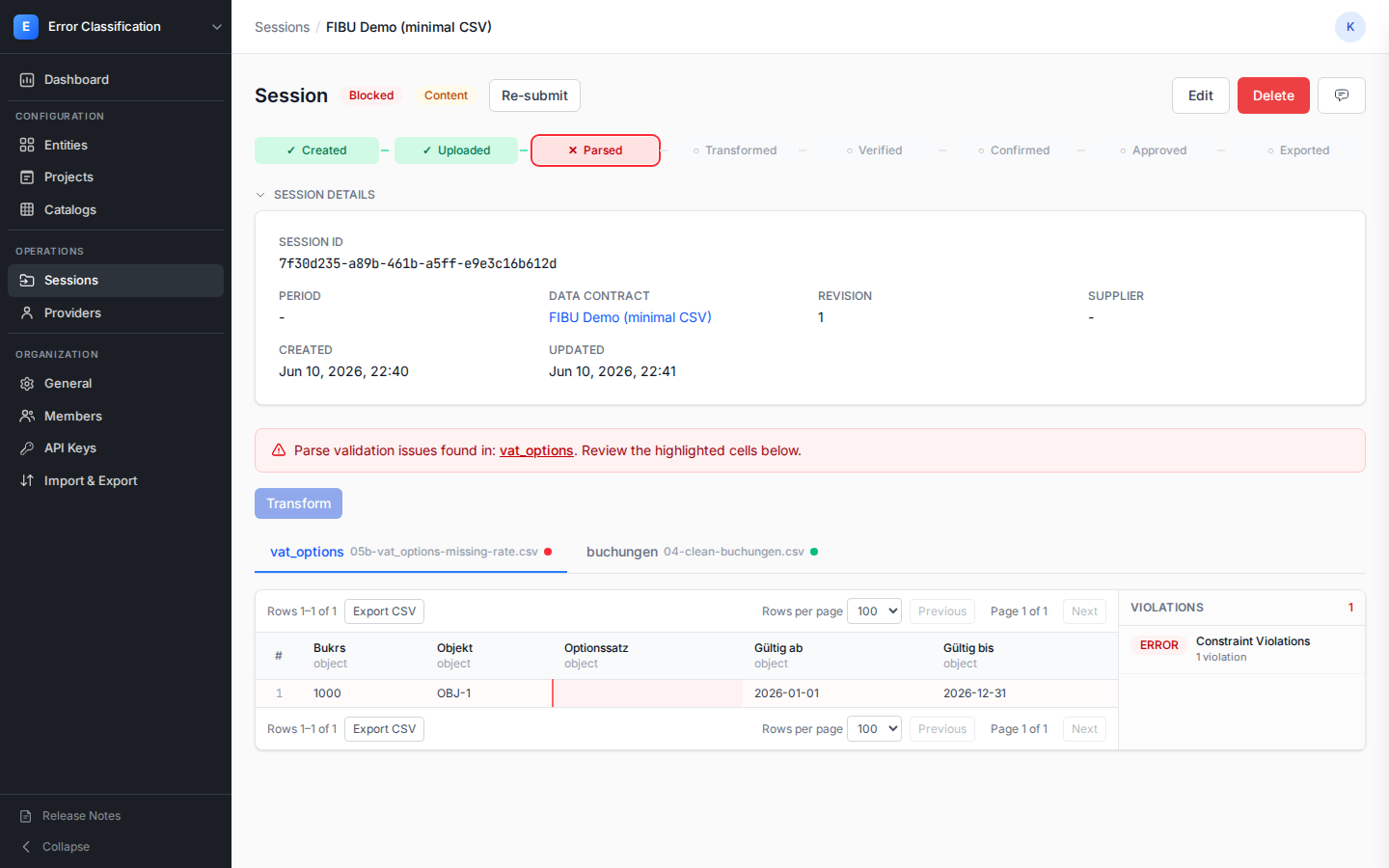
A transform fails most often when a value does not fit its target type — e.g. a non-numeric string in an amount column. Instead of a truncated database error, the Transform stage names the exact column, value, target type and source row(s) (for example Column "amount": value "abc" is not a valid number) and highlights the offending cell. The raw technical detail stays available behind a disclosure for anyone who needs it.
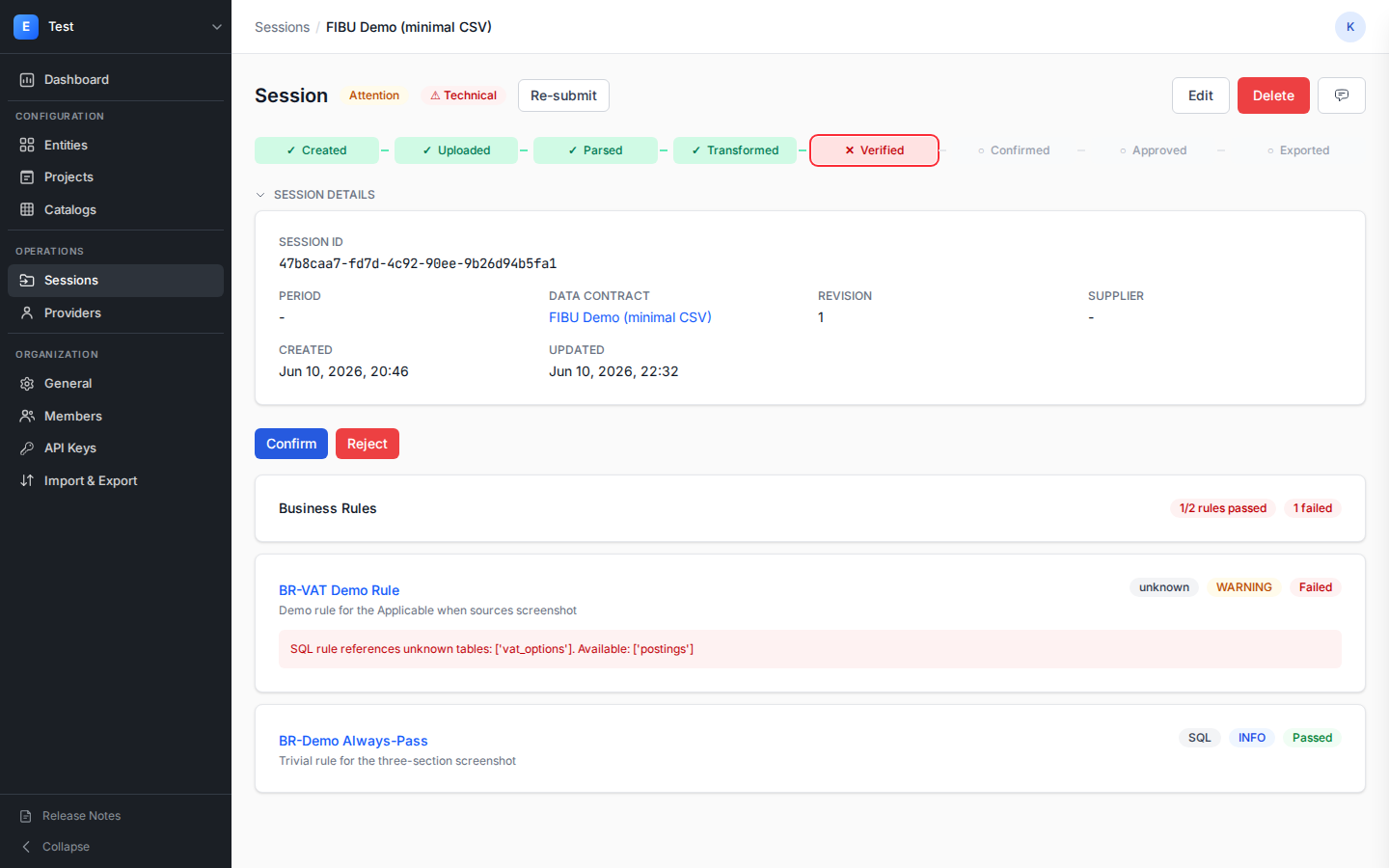
The same treatment covers validation and business-rule execution failures: a rule that cannot run — an unknown column or table, a bad conversion, out of memory — shows a provider-friendly message (for example The rule references an unknown table "vat_options") with the raw engine error one click away, instead of leaking the database exception.
Per-file and per-transformer tracking
Inside a session, each source file and each transformer has its own status and Parquet output, so you can inspect parse results per file and transform/validate results per transformer.
Optional sources
A DataContract source can be optional. When an optional source is not delivered, the pipeline does not error on it:
- Transform — a transformer whose every input role is an undelivered optional
source is recorded as
SKIPPED(notERROR). The session counts a skipped transformer as resolved, so it does not block progress. - Validate — the skipped transformer carries through as
checkedwith amissing_optional_sourcereason, instead of a "no transformed data" error. - Export — the package omits the absent optional source and records it under
omissionsindatapackage.json(mirrored in the session'sexport_report), each entry naming theroleand the reasonoptional_not_delivered.
A missing required source remains a hard error at every stage. Business rules that depend on an undelivered source are reported as not applicable rather than failed — see Business Rules.
Pipeline timings
Workspaces can record how long each pipeline run takes. An owner or admin enables it under Settings → Pipeline → Measure stage timings; it is off by default, and while off nothing is measured or stored.
When enabled, every run records — for each automated stage (parse, transform, check, export) — its duration and the time elapsed from pipeline start to the moment the stage finished. Each stage badge in the status stepper shows its duration beneath it, with the cumulative time from start alongside it for the continuous parse → check chain. Expanding the session Full details panel adds a run-level summary: when the run started, when the automated stages finished, and the total machine time.
Manual stages (uploaded, confirmed, approved) are human actions, so they are shown as gates without a machine duration. While measurement is off the stepper shows no timing captions, exactly as before.
Audit trail
Session activity is recorded as append-only comments — COMMENT,
INTERNAL_NOTE, and STATUS_CHANGE types — giving a durable history of who did
what and when.
Who can create sessions
Depending on the project's session-creation mode, sessions can be created by your organization, by the Data Provider, or both.